Assets
Images, video and fonts live beside the deck that uses them.
An asset belongs to a deck, not to the project. It sits in that deck's
directory, and it moves when the deck moves — which is the point, because
copying a deck into another workspace is something people do and a deck that
reaches into a shared public/ folder does not survive it.
slides/q2-launch/
├── index.tsx
└── assets/
    ├── cover.png
    ├── chart.svg
    └── intro.mp4
Import them the way you would anywhere else. The dev server is Vite, so an import resolves to a hashed URL and the build fingerprints it:
import cover from './assets/cover.png';
import chart from './assets/chart.svg';

const Cover = () => <img src={cover} alt="Q2 revenue against plan" />;
The assets panel
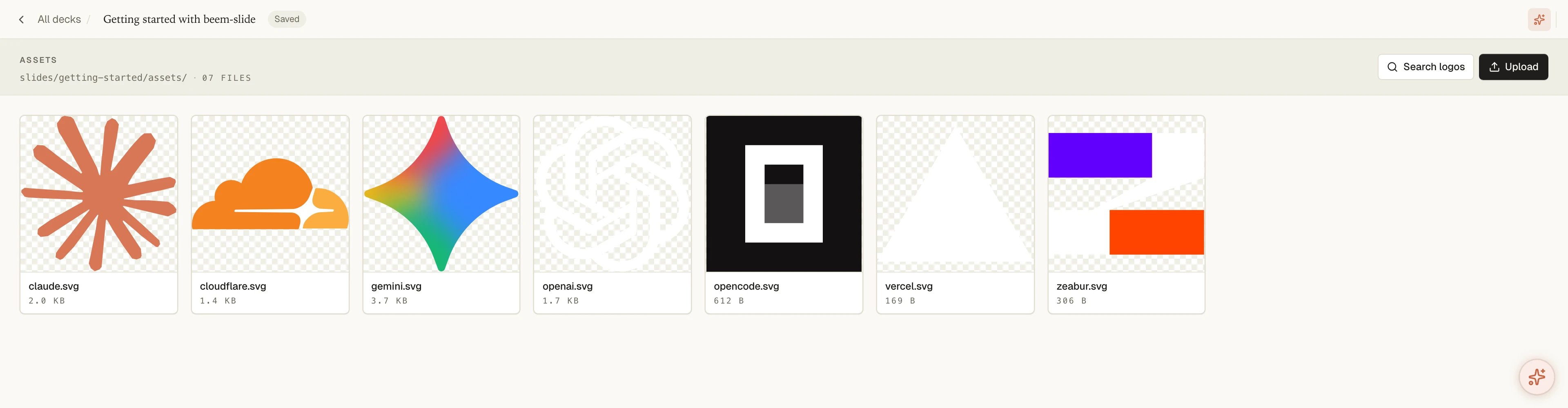
The dev server has an Assets view per deck, and it is the fastest path for everything that is not typing an import.
Drop a file onto it and the file lands in slides/<id>/assets/. Rename and
delete from the same list. It is also the pane the inspector opens when you
click an image on the canvas and ask to swap or crop it, so an image can go
from your desktop to positioned on a page without touching the source.
Anything in that folder is visible to the agent too — it can reach for
assets/chart.svg by name once the file exists.
Brand logos, via svgl
The panel has a search wired into the svgl catalogue. Type a company name, take the result, and the SVG is written into the deck's assets folder ready to import. Where a mark has separate light and dark cuts, both arrive, so a deck that flips background mode does not need a second trip.
Placeholders
While a deck is being drafted you often know a picture goes somewhere before
you know which picture. ImagePlaceholder fills that slot with something that
looks deliberate and is click-to-replace in the inspector — see
ImagePlaceholder.
If a deck has to run under another bundler
Vite hands you asset imports as URL strings. Some other bundlers hand back
an object shaped like { src, width, height }. If a deck needs to render under
both, normalise at the boundary rather than at every use site:
type AssetImport = string | { src: string };

const url = (a: AssetImport): string => (typeof a === 'string' ? a : a.src);